
Choose a partner whose proposed system fits one real workflow, has a measurable result, and leaves your team in control. To choose an AI automation agency, start with one recurring bottleneck and judge fit, outcomes, ownership, and support. An acceptance test is a check agreed before work begins that shows whether a deliverable meets the stated requirements.
Your team may lose hours each week to copying details, sorting requests, or updating records. A DIY tool, freelancer, agency, or in-house hire may each fit different needs. I’ll help you make a sound first choice without expecting one project to fix every process.
Key Takeaways
- Start with one recurring task your team can describe.
- Pick a provider that can build and support the workflow.
- Set a clear result and agree how you will test it.
- Check who controls the project materials after delivery.
- Keep people involved when mistakes could affect customers.
- Choose a first workflow that your team can pause safely.
A clear first workflow is more useful than a broad promise to automate the whole business.
How to Choose an AI Automation Agency for Your Business
I would consider an agency when a workflow crosses several systems and must keep working after launch, but no one on your team can own it. Agency help makes sense when ongoing reliability matters more than a quick connection between two apps.
For example, a request might arrive by email, need an AI review, then update a CRM and alert staff in Slack. That workflow automation needs sound rules, testing, and someone who can handle failures. A stable, linear integration may not need an agency project.
Four routes can help you meet the need: DIY software, a solo specialist, an implementation agency, or an in-house hire. Zapier, Make, and n8n can suit teams with stable, API-first workflows and enough skill to maintain them.
A solo operator may handle a small task well, while an employee can own work that needs steady internal attention. An agency can bring several skills together when the system spans tools or needs a careful launch. A serious partner should be willing to say when your current software is enough.
If the workflow is occasional, undocumented, or already handled by a tool your team can maintain, start there instead.
Match the Provider Type to the Work
The right provider depends on who will build, monitor, and repair the system after its first version is delivered. Choose based on the work your team needs covered, not the provider’s label.
A solo operator can suit a low-risk, one-off task. A larger consultancy may bring wider planning and oversight, but that can be excessive for a small, contained workflow. Stable API-first workflows are often manageable with Zapier, Make, or n8n.
| Provider type | Who builds it | Who handles failures | Typical fit | Main trade-off |
|---|---|---|---|---|
| DIY platform | Your team configures the tools | Your team checks and repairs runs | Stable, simple workflow | Lower outside cost, more internal work |
| Solo operator | One specialist | Specialist or your team, as agreed | Low-risk one-off task | Direct service, limited backup |
| Implementation agency | A team with build and test roles | Agency or your team, by agreement | Several systems and handoffs | More skills, more coordination |
| Enterprise consultancy | Large consulting and delivery team | Consultancy and client teams | Wide, complex programs | Broad support, often too much for one small workflow |
Ask who watches failed runs and who can change the workflow without delay. Those answers matter as much as the first build, especially when the original builder is unavailable.
Choose the smallest provider type that can meet the workflow’s reliability and support needs.
Pick a Process That Is Ready for Automation
A process is ready to scope when someone on your team can describe what starts it, what happens next, and where it goes wrong. Automating an unclear process can reproduce its confusion faster.
Start by following one real task from its first signal to its final result. A common AI workflow starts with a trigger, uses an AI model for text or judgment, then updates a record or alerts a person.
Map the inputs, decisions, and exceptions
Write down the trigger, information used, handoffs, decisions, exceptions, and final result. Note where a person checks the work and what happens when details are missing. A workflow may connect a CRM, ERP, email, or Slack.
- What starts the task?
- What information is needed?
- What exceptions occur?
- What counts as complete?
These prompts help your team see the real path, not just the steps in a written policy. Include unusual cases, such as a changed order or a request with two customer records.
Set a measurable process boundary
Choose one bounded task, such as sorting incoming invoices before staff review them. Name the person who owns the process and can answer questions about its current rules.
Keep the boundary clear: identify where the automation starts, what it may change, and where a person takes over. A process that changes each week needs clearer rules before it can be scoped.
If no one can agree on the current steps, document and simplify the process before paying to automate it.
Compare Platforms by How They Run
Two workflows that do the same job can have different running costs because their platforms count work differently. Compare the usage unit, run limits, and maintenance work before choosing a platform.
Zapier counts successful action steps in Classic Zaps, while Make uses credits and n8n Cloud counts successful workflow executions. The table shows key entry details and limits.
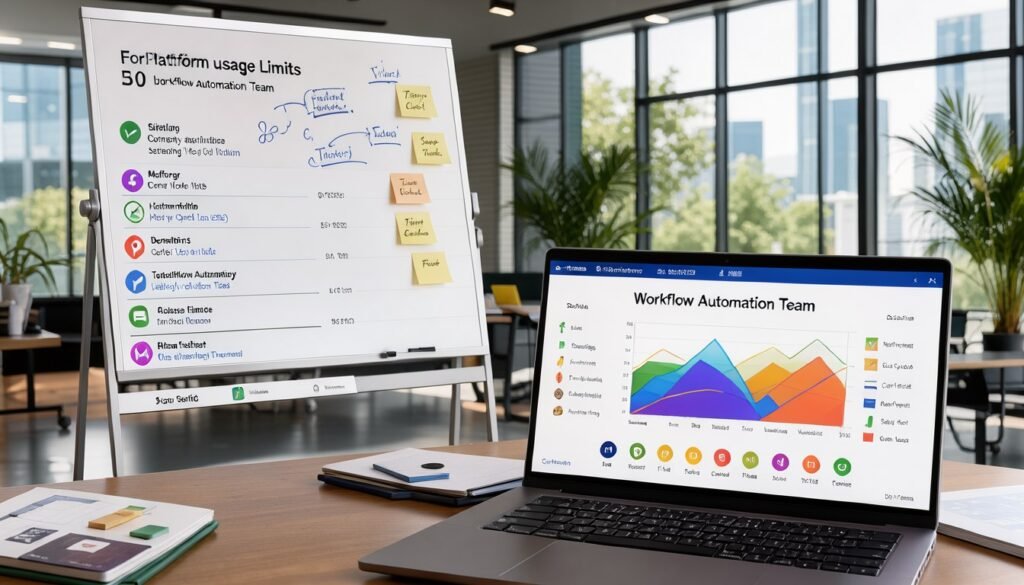
Compare automation platforms by their usage limits and how well they support your team’s workflows, not just by their features.
Check how usage is metered
| Platform | Free or entry plan | Usage unit | Relevant operating limits |
|---|---|---|---|
| Zapier | Free: 100 tasks/month. Plans start at $19.99/month and $69/month; those prices are not tied here to task limits. | In Classic Zaps, each successful action step counts as 1 task. | Triggers, filters, paths, tests, and errored or halted action steps do not count. Tasks are shared across the account, including workflows, AI steps, code, MCP, and SDK. |
| Make | Free: 1,000 credits/month, 15-minute minimum scheduled-run interval, and 2 active scenarios. | Credits | Runs last up to 5 minutes on Free and 40 minutes on Core, Pro, Teams, and Enterprise. Logs last 7 days on Free, 30 days on Core, Pro, and Teams, and 60 days on Enterprise. Paid plans include 5 GB data transfer per 10,000 monthly credits. |
| n8n Cloud | November 20, 2026 snapshot: Starter $20/month for 2,500 executions; Pro $50/month for 10,000; Business $800/month for 40,000. | Successful workflow executions, not steps or users | Self-hosted Community is free software. Self-hosted Enterprise needs a paid license. |
Imagine a workflow that runs 500 times each month and has six successful action steps. In Classic Zaps, that could use 3,000 tasks, while n8n Cloud counts 500 executions.
Decide whether self-hosting fits your team
Self-hosting gives your team more control over the environment, but someone must manage updates, access, backups, and outages. Free software still needs staff time and a reliable place to run.
A team without that capacity may find a hosted platform easier to operate. Estimate from real successful runs, including any AI steps and repeated work.
Estimate usage from actual successful runs, not from the number of workflow names in your account.
Measure ROI Before and After the Build
Before building, record what the process costs in time, errors, and money so you have a fair comparison afterward. Use four to eight weeks of baseline data when the task volume allows it.
Track the number of tasks, cycle time, cost per transaction, and error rate. Add operational measures such as adoption rate, plus financial measures like labor cost and revenue per employee.
Record a usable baseline
Use the same definitions before and after launch. For example, count cycle time from the first request to a completed record, not from staff login to logout.
Choose measures your team can collect without adding a new reporting burden. The FinOps Foundation framework treats technology spending as a shared way to weigh cost, use, and business value.
Count realized benefit, not just hours
Use these formulas to test the financial case:
- AI ROI = (realized annual benefit – total annual cost) ÷ total annual cost × 100.
- Payback period = one-time cost ÷ monthly net benefit.
Hours saved show freed capacity, not automatic savings. Savings count when they cut costs, avoid a planned hire, or support work that earns revenue.
In an illustrative invoice-processing example, $108,000 in realized benefit and $57,800 in Year-1 costs produced 87% Year-1 ROI and a 5.4-month payback. Counting $162,000 in productivity gains instead would raise the illustrative ROI from 87% to 180%.
Adoption matters because staff may ignore a workflow that works in tests but does not fit daily work. Agree on one operational measure and one financial measure before the first build milestone.
Compare Build, Run, and Usage Costs
Compare the build fee with recurring run costs, because the project does not stop generating costs at handoff. In 2026, typical builds range from $1,500 for small businesses to $100,000 or more for enterprise work.
The monthly maintenance retainer also grows with the scale of the work. These ranges help you compare a quote with the size and support needs of your project.
Set a realistic build and retainer range
| Business size | Build range in 2026 | Monthly retainer range in 2026 |
|---|---|---|
| Small business | $1,500-$5,000 | $500-$1,500 |
| Mid-market | $5,000-$20,000 | $1,500-$4,000 |
| Enterprise | $20,000-$100,000+ | $3,000-$15,000 |
The scope, number of integrations, and support needs affect where a project sits in its range. Ask the agency to show what the build and recurring service cover.
Budget for costs beyond the agency invoice
Budget for platform subscriptions, model or API use, hosting, data preparation, and human review. A retrieval-augmented generation pipeline, or RAG, uses a model to find answers in your own data.
Unstructured data preparation for a RAG pipeline can add 20-35% to build cost. Voice-agent use adds $0.10-$0.30 per conversation minute, outside the agency retainer.
An illustrative first-year budget for three workflows and six integrations totals about $40,450. It includes a $14,000 build, $24,000 in retainers, about $650 for n8n Cloud Pro, and $1,800 in LLM API costs.
FinOps helps teams weigh technology cost against usage and business value across cloud, SaaS, and licenses. Ask for a first-year estimate that separates build, retainer, platform, model usage, and any data preparation.
Test the Workflow Before It Goes Live
A workflow is not ready for customers just because it succeeds on a clean demonstration. Test real cases, including missing details and repeated requests, before launch.
AI output is probabilistic, which means a model can give different answers and can still be wrong. Set realistic performance goals and decide which actions need a person’s approval.
Test normal, missing, and duplicate inputs
Use a test set that covers everyday requests and common problems. Include these three cases:
- A complete request with all required details.
- A request with a missing field, such as an invoice date.
- A duplicate request already recorded by the system.
Compare AI-drafted messages with approved business information, such as current prices, return rules, and product details. Check whether the workflow flags uncertainty instead of filling gaps with guesses.
Keep human review where errors matter
In shadow mode, the workflow runs beside the human process for seven days. Staff compare its output with human work under rules agreed before the test.
A low-risk suggestion may need only spot checks. Sending customer messages or changing business records can cause harm, so keep a human approval step where consequences justify it.
Write down performance limits, liability terms, and which sensitive actions need approval. Keep the human approval step until real cases show that the agreed checks work.
Put Scope and Ownership in Writing
A written scope should make it possible to tell whether the agency delivered what you agreed to buy. Put the deliverables, test rules, and change process in the statement of work.
The statement of work should also cover project milestones, data and security terms, service-level agreements, warranty, and maintenance. Clear terms make it easier to spot what falls outside the project.

Define the agency’s scope, responsibilities, and ownership in writing before work begins, so everyone can align on timelines and deliverables.
Define deliverables, acceptance, and change orders
List the work in plain terms, including what must be ready at each milestone. Include these five items:
- Deliverables and milestones.
- Acceptance rules for each deliverable.
- Included revisions and out-of-scope work.
- Change-order triggers and fees.
- Warranty or maintenance terms.
Spell out what counts as a change, such as adding a new system or a new approval step. A low first quote can become expensive when exclusions and change rules stay vague.
Set ownership and exit terms
State whether you own your data, configuration, prompts, and custom code. The agency may keep rights to a reusable framework, but the agreement should draw that line clearly.
Keep control of the accounts that run the workflow, and require useful documentation. Define what you receive at exit, including files, access, and any steps needed to move the system.
Do not approve the statement of work until the deliverables, ownership, and change process are specific.
Check Data Security and AI Governance
Ask exactly what information the system can reach, where it goes, and whether a model provider can use it to improve a model. Match data controls to the sensitivity of the information and your legal duties.
A SOC 2 report can show how a service handles certain controls, but it is not a blanket guarantee. It also does not set AI-specific rules for bias or explainability.
Map data access, storage, and model use
List which records the workflow can read and change, who can access them, and how the system protects stored data. Ask which model providers receive information during a run.
Write down whether the provider uses your data to train or improve models. Set retention periods, then state how data will be returned or deleted when the work ends.
Limit access to what the workflow needs. A tool that reads every customer record creates more risk than one that sees only the fields required for its task.
Read SOC 2 claims accurately
Security is required in every SOC 2 audit. Availability, Processing Integrity, Confidentiality, and Privacy are optional criteria that may apply to a report.
Type I reviews controls at one point in time. Type II checks whether controls worked over a period, typically three to twelve months.
SOC 2 reports are generally valid for twelve months and need annual audits. The report does not prove an AI model is free from bias or explainable.
Ask for the current report and written data-handling terms, then review them against the information your workflow will expose.
Plan for Maintenance After Handover
A workflow can be well built and still stop working when an API changes or an access token expires. Name an internal owner and agree who handles alerts and repairs before handover.
Monitoring means checking whether the system runs as planned. Incident repair fixes a failure; routine improvements tune existing work, while new scope adds a new task or system.
Ask who receives failure alerts, who is on call, and what response time applies. Find out which fixes are included and how the agency gets approval for billable work.
Post-handoff fixes can cost $75-$300 per hour, depending on the agency tier. That makes approval rules important when a small repair turns into several hours.
APIs change, and credentials expire, so someone must own the workflow after launch. Put the alert owner, response time, and repair billing rule in writing before handover.
Use a Consistent Shortlist and Decision Checklist
Give every candidate the same workflow brief so you can compare the quality of the answers, not just the sales presentation. Compare three providers against one shared scope, then test one workflow before a wider rollout.
Ask each provider what they would leave manual and who should own the internal decision. Their answers can reveal whether they understand the work or are pitching a larger build than you need.
- Write one shared brief with the task, tools, limits, and expected result.
- Compare three providers using the same scope and questions.
- Choose one bounded first workflow with a clear stop point.
A process may be too variable, too low-volume, or too consequential to automate yet. Keep it manual until the team can describe the rules and the risk in a useful way.
A technically confident team might configure Zapier or Make itself for a contained task. If you hire a partner, ask who will own the internal decision when trade-offs arise.
Choose a first project small enough to pause without disrupting the business.
Conclusion
The safest first move is to choose one recurring task your team can describe and measure. A good first workflow has a named internal owner and a result your team can verify.
Keep the first task narrow enough to understand, test, and pause if it causes trouble. You do not need to automate every step to make useful progress.
Write the task, current tools, expected result, and one measure on a single page. Then use it to decide whether you need a tool, a specialist, or an agency.