
Industry-specific AI implementation works best when you choose a real workflow, fit the technology and safeguards to its risks, and keep people responsible for consequential decisions. A pilot is a limited test of an AI-supported workflow with a defined owner, success measures, and review before wider use. AI can help with repetitive tasks, but the right first step depends on the work, available data, and the cost of an error.
AI implementation is the process of planning, integrating, and managing AI tools so they produce measurable results. Your team can use a practical plan to connect business goals with a task, set limits, and check results before expanding. Start with one task your team already understands, not a tool looking for a problem.
Key Takeaways
- Begin with a known task and a clear business goal.
- Check the data, risks, and human review needs before choosing tools.
- Run a limited pilot before wider deployment.
- Measure work results, not just tool use.
- Give staff a way to pause or correct unsafe outputs.
Why AI Implementation Depends on the Industry
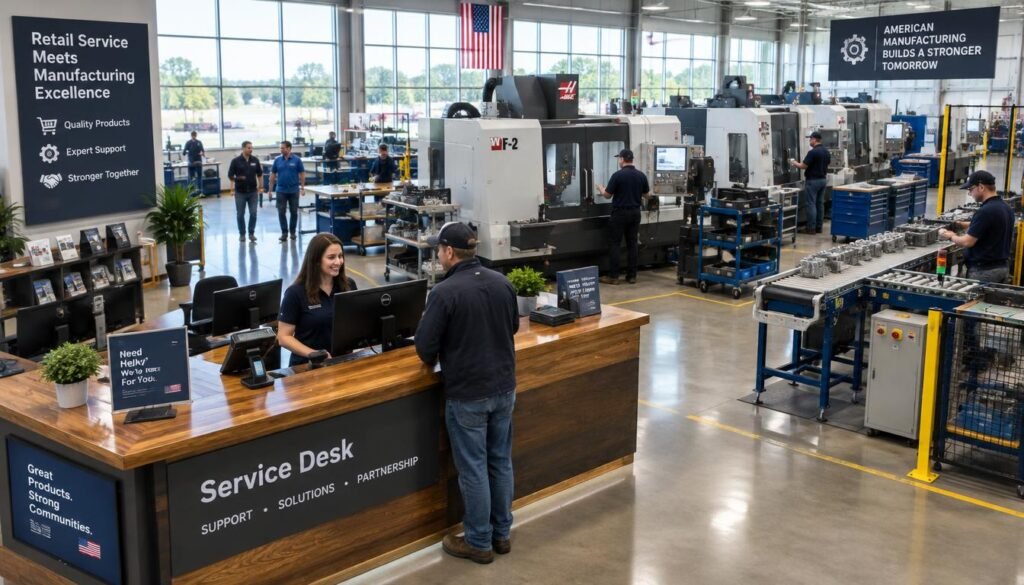
AI implementation should fit each industry’s needs, connecting service operations with manufacturing technology in a shared workplace.
A retailer handling customer questions and a manufacturer monitoring production equipment face different data, system, and error risks, even if both use AI. Industry shapes the work, so the same technology can need different controls across organizations.
As of May 3, 2026, 19.8% of U.S. businesses used AI in at least one business function. Use was 39.7% in Information and 33.9% in Finance and Insurance. The Census Bureau’s business AI figures also show that overall use ranged from 17% to 20% from December 2025 to May 2026.
Adoption shows use, not business value or readiness. From December 2025 to May 2026, 20% to 23% of businesses expected to use AI in the following six months. An April 2026 Federal Reserve analysis estimated that about 18% of U.S. firms had adopted AI by year-end 2025.
The Census and Federal Reserve estimates cover different survey periods and measures. Neither figure proves that a tool will improve a particular business. Industry affects which information a team handles, which systems it uses, and what a mistake could change.
A business serving more than one sector may need separate safeguards for separate workflows. A customer support task and a task that affects safety can sit in one department, yet carry very different risks. Treat the industry context as a design constraint, not as proof that a particular tool will work.
Assess Readiness Before Choosing an AI Tool
A small team can be ready to test one well-understood task even if it is not ready to build or manage a custom model. Readiness is task-specific, and a gap in one area may call for a smaller test rather than a new tool.
Check the process, data, people, support, and funding before you begin. Company-size adoption rates describe groups, not your company’s ability to run an AI workflow safely.
Check the data and process
Write down how the task starts, what information it uses, and what happens when an exception comes up. A workflow that only one person understands is hard to test well. Make its steps clear before adding technology.
Confirm that the needed data is accessible, relevant, and permitted for the intended use. Check whether records are current and complete enough for the task. If staff must repair the same records each time, fix that problem first.
Check team capacity and ownership
Staff do not need to become AI engineers, but they need practical skills. Users should know how to check outputs, spot a mistake, and report a concern. A workflow owner should answer for results after launch.
Decide who can help with setup and system issues. Set aside funds for ongoing costs, updates, and staff time, not just the first month. A useful guide to choosing an AI provider can help you match outside support to the work.
- Process: Write down the task’s steps and exceptions.
- Data: Check access, relevance, and permission.
- Skills: Give users practice checking outputs.
- Ownership: Name one person who can address results.
- Support and budget: Set aside time, technical help, and ongoing funds.
These checks help your teams decide whether to test now or close a gap first. Some U.S. firms with at least 250 employees reported AI use at a higher rate than smaller firms. That group-level pattern does not tell you whether your own systems, skills, or budget are ready.
If no one can own the result after launch, treat that as a readiness gap rather than a reason to buy another tool.
Industry-Specific AI Implementation Strategies: A Practical Framework
A workable industry strategy begins by tracing one task from the information it uses to the decision or action it can change. Start with the whole workflow, not just the part that looks easy to automate.
Map the task, affected people, linked systems, and cost of a wrong output. This gives your implementation strategy a clear boundary and a way to judge value. NIST’s voluntary AI Risk Management Framework helps organizations build trustworthiness into AI design, use, and review.
Map the workflow and its consequences
List the task’s trigger, inputs, handoffs, decisions, exceptions, and end result. Note which people and systems could be affected by an error. A small delay may be easy to fix, while a wrong action can affect safety, money, or access to service.
The table offers a starting point, not a ready-made rule for every organization. A department may need different risk boundaries for two AI uses. For example, drafting a team note and changing a customer’s account status can call for different checks.
| Example workflow | Main implementation constraint | Human checkpoint |
|---|---|---|
| Healthcare appointment scheduling | Accurate patient and visit details | Staff checks changed appointments |
| Financial transaction review | Clear records and decision limits | Analyst reviews flagged activity |
| Manufacturing quality inspection | Stable image and machine data | Operator checks uncertain defects |
| Retail product offers | Current stock and accurate claims | Staff approves offer details |
| Public service request sorting | Fair access and correct routing | Staff handles urgent or disputed cases |
Set the boundary for AI and human review
Choose which parts AI may support and which actions remain with a person. Human review means a person checks or approves an AI output before it affects a consequential decision. Keep the reviewer’s role clear, including when they can correct or reject an output.
A strong plan also names a stop point. An AI tool might sort a request but leave a human to approve denial or urgent action. A practical workflow roadmap can help you map handoffs and review points before a test.
Write down the point at which a person must pause, correct, or reject the AI output before testing begins.
Choose Use Cases That Fit Everyday Work
A strong first use case is a specific task with a visible owner, a clear improvement to measure, and a safe way to catch mistakes. Everyday work is a good place to look, but frequency alone does not make a task suitable.
Choose a task only when its likely value outweighs the effort and risk of changing it. A high-volume repetitive task may still be a poor fit if errors are hard to spot or costly to repair.
Rank potential value
Time saved is one form of value, not the only one. AI might help staff answer routine questions faster, give people better decision support, or reduce repeat errors. Link the measure to a business goal, such as fewer missed requests.
The Census Bureau measures AI use across 15 business functions. They include finance, human resources, customer service, marketing, information technology, and research and development. That range can help teams think beyond one department, but each task still needs its own case.
Test practical feasibility
Check data access, integration effort, error consequences, staff capacity, and the manual fallback. Ask who will notice a bad output and how the team will recover. If that answer is unclear, narrow the task or defer it.
| Selection factor | Question to answer | Evidence to check | Reason to defer |
|---|---|---|---|
| Impact | Which result should improve? | Current time, cost, or service level | No clear business gain |
| Workflow fit | Can staff define the task? | Written steps and exceptions | Rules change by case |
| Data readiness | Can the tool use suitable data? | Access, quality, and permission | Needed data is unreliable |
| Risk | Can staff catch a mistake? | Review steps and recovery plan | Error is hard to detect or undo |
A task that saves minutes may still create extra review work. Compare the full process, including time spent checking and fixing outputs. That view helps your team judge efficiency rather than counting only the work an AI tool performs.
Defer any use case whose expected benefit depends on data your team cannot lawfully or reliably use.
Prepare Data and Set Safeguards Before Deployment
Before connecting a tool to business information, decide which data it may use and who is allowed to see the output. Set the rules first, so teams know what they can share and what needs review.
Use only data that is relevant, permitted, and protected for the task. Data quality includes accuracy, completeness, consistency, and fit for the intended use.
Confirm data quality and permission
Check whether records are current, consistent, and complete enough to support the task. A tool can produce a neat answer from a poor record and still be wrong. Confirm that the team can access the information it needs.
Permission matters as much as access. Data that staff can view may not be suitable for every AI use. Review what the tool does with inputs, outputs, and stored information, including vendor terms about using your data.
Set privacy, security, and risk controls
Limit access to people who need it. Share only the information needed for the task, and set a way to report incidents or unsafe outputs. These steps help keep information from spreading beyond its intended use.
NIST released its voluntary AI Risk Management Framework on January 26, 2023. Its Generative AI Profile, published July 26, 2024, helps organizations identify risks and plan actions. The profile supports risk planning, but it does not replace company policy or legal duties.
- Permitted-data rules: List what may enter the AI system.
- Access controls: Limit who can use inputs and view outputs.
- Human review: Require checks before consequential use.
- Incident path: Name where staff report unsafe results.
Make these controls part of the workflow, not just a document that few people see. Give staff a simple way to check whether a task fits the permitted use. Keep sensitive information out of a system until the team has confirmed its permissions and safeguards.
Choose Technology That Fits Existing Systems
Choose the simplest technology that can perform the task within your team’s data, security, and support limits. Novelty is not a requirement; a small connection to a system you already use may be enough.
Match the tool to the work and the skills you can support. Language, prediction, pattern finding, and image review need different methods.
Match the tool to the task
Natural language tools can sort messages or draft text. Predictive models estimate likely outcomes from past data. Clustering groups similar items, while anomaly detection can flag unusual patterns. Computer vision checks images for features such as visible defects.
These methods solve different problems, and no one model type fits every task. Scikit-learn and Keras are examples of machine-learning libraries. They are tools for development, not automatic recommendations for your team.
Plan for integration and fallback
Cloud deployment can scale with demand, but it depends on a provider and network access. On-premises systems keep more control inside your organization, though your team maintains the infrastructure. Hybrid setups combine both and need staff who can support each part.
Consider data control, maintenance, scalability, and available skills before choosing. A simple link to an existing system may be safer and easier to support than a custom build. Check how updates affect other systems, too.
Every workflow needs a manual fallback if the tool or connection fails. Staff should know what to do without waiting for a developer to restore service. Confirm who will maintain the connection and manual fallback before a tool enters the live workflow.
Apply AI Safely in Healthcare
In healthcare, begin with a workflow that saves staff time without allowing an unchecked output to determine patient care. Administrative work can be a lower-risk start, while clinical and device uses need closer review.
Keep clinicians responsible for clinical judgment. AI can support note drafting, coding, or scheduling, but those examples are not endorsements of full automation.
Healthcare teams should sort each use by its intended role. The FDA regulates medical devices, including AI-enabled devices, based on intended use and technological features, not AI alone. Its pathways include 510(k) clearance, De Novo classification, and premarket approval.
As of September 2026, the FDA had authorized more than 1,600 AI-enabled medical devices for marketing in the United States. That number does not show that any one tool fits a clinic or patient group. Review the actual software function and use.
| Workflow | Possible AI role | Required human check | Boundary to verify |
|---|---|---|---|
| Administrative documentation and scheduling | Draft notes or suggest codes and times | Staff checks records and changes | Patient data access and workflow fit |
| Clinical decision support | Offer information for a clinical review | Clinician weighs the output | Whether the function falls under FDA policy |
| AI-enabled device software | Support a device function | Qualified staff follow device procedures | Intended use and device characteristics |
Some clinical decision support software functions are excluded from the device definition under section 520(o)(1)(E) of the Federal Food, Drug, and Cosmetic Act. Other functions remain subject to FDA digital health policies. The FDA’s AI device guidance explains that software function and intended use matter.
A change to software may trigger FDA review if it could significantly affect an AI-enabled device function’s safety or effectiveness. Have the appropriate clinical, privacy, and regulatory reviewers assess the intended use before a patient-facing deployment.
Manage Model Risk in Financial Services
A financial-services AI use should be judged by the decision it can influence, not just by how quickly it processes information. Role and consequence set the review, whether a tool flags fraud or answers a service question.
Keep human escalation clear for credit and other consequential decisions. Reviewers need enough information to understand, question, and document an output.
Match controls to the model’s role
Fraud flags can help staff spot unusual activity, while transaction monitoring tracks patterns across records. Risk assessment may affect access or terms, so it needs careful review. Customer support tools may carry less direct risk, yet still need accurate answers and escalation for sensitive cases.
Use controls that fit each task. A tool that sorts service messages does not need the same review path as one that can influence a credit decision. Define the model’s role before deciding what evidence staff must see.
Keep review, records, and vendor controls
Test and validate the model before use, then monitor its behavior. Keep records of its purpose, limits, changes, and review steps. Assign an accountable owner who can act when results shift or users report a problem.
The 2026 interagency model risk management guidance covers development and use, testing, validation and monitoring, governance, controls, and third-party products. It is expected to matter most to banking organizations with more than $30 billion in assets, though it may also matter to smaller banks with significant model risk.
The guidance is nonbinding and sets no enforceable standards or prescriptive requirements. It excludes generative AI and agentic AI models, and noncompliance will not lead to supervisory criticism. Banking agencies plan to ask about model risk management and banks’ use of AI, including these newer models.
Check applicable obligations with your compliance team, especially when vendors supply models or data services. The interagency guidance can inform controls, but it does not replace legal or supervisory requirements that apply to your organization. Record the model’s purpose, owner, limits, and review path before relying on its output in a consequential decision.
Start With a Bounded Workflow in Manufacturing
In manufacturing, start with one production bottleneck that can be measured without changing the whole plant. Pick a bounded process, such as reconciling inventory or forecasting demand.
Check the records behind a forecast before trusting its result. Item records, bills of materials, and production data need to match the work happening on the floor.
Fix the records behind the workflow
An inventory task may look simple until item names or units differ across systems. Compare the records staff use with actual counts and production plans. Fix unclear rules before adding a model to the process.
For demand forecasts, check whether past data reflects current products and production conditions. If the records are late or incomplete, staff may spend more time correcting the forecast than using it. Measure the bottleneck before changing it.
Connect physical operations carefully
Equipment sensors can help flag signs of wear. Computer vision can support inspection, while operational technology links software with physical equipment. Give operators a clear response path when a system raises an alert.
A 2025 laboratory-scale drone-factory demonstration used an ISO 23247-based manufacturing digital twin. A digital twin is a digital model connected to a physical process. In that demonstration, an Internet of Things platform supported two-way communication, monitoring, and assistance between the model and production system.
A lab test does not prove the same setup will work on a factory floor. Connecting a model to live equipment before checking its data and safety controls can disrupt production. Test alerts and recommendations against the way operators actually work before allowing them to affect production.
Connect Retail AI to Service and Inventory
Retail AI works best when the customer-facing promise matches what the business can actually fulfill. Keep service and stock connected, so a useful message does not send shoppers toward unavailable products.
Check offers, inventory, and human escalation as one workflow. A promotion engine should connect to stock and replenishment, not operate apart from them.
Retail teams can use tools for routine service questions, product suggestions, and demand planning. Each task relies on current business information. If an AI tool writes faster than staff can check its claims, inaccurate product details or offer terms may reach customers.
| Workflow | AI-supported task | Operational dependency | Human escalation |
|---|---|---|---|
| Routine service questions | Draft answers to common questions | Current product and order details | Route complex or sensitive cases |
| Product recommendations or promotions | Suggest products or offer text | Stock, pricing, and offer terms | Staff approves claims and exceptions |
| Demand or replenishment planning | Estimate demand or flag low stock | Sales, inventory, and delivery records | Buyer reviews unusual changes |
Customer service tools need a clear route for issues they cannot resolve. Staff should see the customer’s question and relevant order details when a case moves to them. That handoff keeps the customer from repeating the same information.
Review privacy and profiling rules when using customer data or personalized offers. Rules can differ by state and by how a business uses the information. The Federal Trade Commission Act, Section 5, bars unfair or deceptive acts or practices in commerce, so customer-facing claims must remain accurate and fair.
Check the offer, inventory, and escalation path together before an AI-supported campaign goes live.
Introduce AI Through Small Pilots and Team Learning
A pilot should answer one practical question about a workflow, not try to prove that AI can transform the whole business. Keep the test narrow, so staff can learn without disrupting other work.
Set a baseline, an owner, a manual fallback, and a way to pause. Your team can choose the test duration based on the workflow and the time needed to see useful results.
Design a controlled pilot
Limit the first test to a small group of users. Pick a clear start and end date, then compare results with the current process. The owner should watch the test and know when to stop it.
Work-related generative AI use by individuals was about 41% as of November 2025. A separate Federal Reserve Bank of Atlanta survey estimated that 78% of the U.S. labor force worked at firms that had adopted AI, while 54% worked at firms using large language models. These measures describe different things, and neither proves your team is ready.
Train for the work people do
Training should match each person’s job. Give users realistic practice, such as checking a draft reply or reviewing a flagged record. Show which information they must not enter, and explain how to report a bad result.
Learning happens through daily use and clear feedback. Ask staff which steps save time and which create new work. Do not treat a quiet team as proof that the tool is working well.
- Select participants who know the workflow.
- Establish a baseline before the test starts.
- Collect user feedback during the test.
- Decide whether to stop, adjust, or expand.
A provider’s rollout plan should leave room for staff practice and a clear handoff. Keep the feedback route private and easy to use. Give participants a private, low-friction way to report an error or an uncomfortable use case.
Measure Performance and Monitor for Change
A pilot earns the next step only when its results improve the work without hiding new errors or extra effort. Compare the test with the old process, not with a guess about how well the tool should work.
Track technical behavior, workflow results, and business impact. A tool that gets used often can still fail to save time or improve service.
Track workflow results
Build a small scorecard with a baseline and pilot result for completion time, error or rework rate, and the business outcome the use case should improve. Pick measures that match the task, such as fewer repeat requests or faster order handling.
Check whether new review steps add work elsewhere. A faster first draft may not help if staff spend more time fixing it. Name someone to track each measure and share results with users.
- Technical behavior: Check output quality and system reliability.
- Workflow impact: Compare time, errors, and staff effort.
- Business result: Measure the goal tied to the use case.
Watch for errors and drift
Sample outputs and review user feedback on a set schedule. Watch for changes in the data, process, or connected systems that could affect results. A shift in products or customer requests may make old patterns less useful.
Give one person responsibility for responding when performance slips. They should know who can pause the workflow and how to return to the manual process. Optional canary deployment lets a team expose a change to a small share of users first. A/B testing compares two versions, but neither method is required for every small business.
Do not count tool use alone as proof of value. A scorecard that includes work results can show whether the system helps or adds hidden effort. Set a review date and a clear threshold for pausing the workflow if its performance slips.
A focused AI performance scorecard can help teams choose measures that fit the workflow and its business goal.
Set Governance for Responsible Scaling
Scaling a workflow means scaling its ownership and safeguards along with the number of users. Keep accountability visible, so staff know who can approve changes and handle harm.
Name an owner, approval route, recordkeeping practice, and incident process. Those basics help an organization manage change as use grows.
Governance should explain who may use the system, what it may do, and which actions need human oversight. Keep records of material changes and the reason for each approval. Give staff one route to report harmful or unreliable outputs.
- Ownership: Name the person accountable for the workflow.
- Permitted use: State which tasks and data are allowed.
- Human oversight: Set actions that require a person’s review.
- Change review: Approve material updates before wider use.
NIST’s AI Risk Management Framework is voluntary. Legal duties depend on the system and where an organization operates. The EU AI Act does not apply to every U.S. business simply because it uses AI.
For organizations whose activities bring them within scope, general-purpose AI model provider duties took effect in August 2025. Transparency rules took effect in August 2026, including disclosure of certain AI interactions and labeling specified AI-generated content. EU and member-state authorities began implementing, supervising, and enforcing the Act on August 2, 2026.
High-risk AI system duties are scheduled to start December 2, 2027. They include risk review, data quality, logs, records, human oversight, cybersecurity, and accuracy. The ban on generating non-consensual sexual or intimate content and child sexual abuse material takes effect in December 2026.
Ask qualified legal or compliance staff whether these rules apply to your activities and markets. Critical-infrastructure organizations can also follow NIST’s April 7, 2026, concept note for a profile on trustworthy AI in critical infrastructure, as NIST revises its framework.
Before expanding access, assign one person to approve changes and one route for reporting harmful or unreliable outputs.
Make the Next AI Step Small and Useful
A sensible AI implementation does not need to begin with a company-wide rollout. A focused test can show whether a tool fits the work and returns value.
Useful systems support an actual workflow, produce a result you can measure, and leave people able to intervene. Your team can expand, adjust, or stop based on what the test shows.
Ask your team to choose one repetitive task, name its owner, and write down the result that would justify a controlled test. Put one task, one owner, and one success measure on the agenda for your next team meeting.